
The need to transfer large files between phones keeps growing every year. People now record 4K videos, install large mobile apps, and store huge amounts of data on their devices. Because of this, fast file sharing has become more important than ever. However, many users still depend on traditional Bluetooth for local file transfers. That old method creates major speed problems when handling modern file sizes.
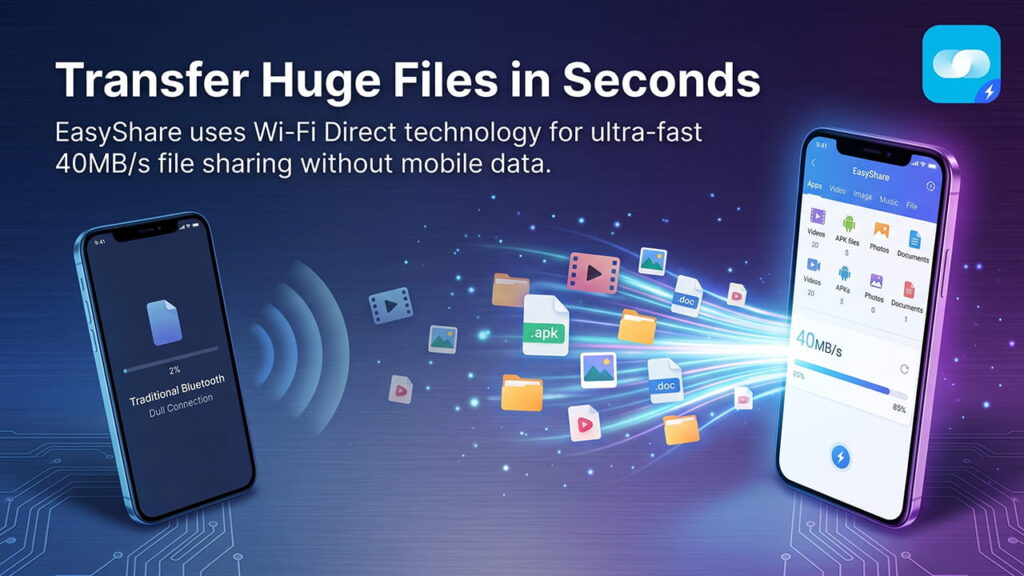
Apps like EasyShare solve this issue by using a different wireless system. Instead of depending only on Bluetooth, the app uses Wi-Fi Direct technology to deliver transfer speeds up to 40MB/s. As a result, file sharing becomes much faster, smoother, and more stable.
The Main Problem With Traditional Bluetooth
Bluetooth was mainly created for small and low-power connections. It works very well for wireless earbuds, smartwatches, keyboards, and other accessories. Small data packets move easily through Bluetooth connections. However, large file transfers are a completely different situation.
Modern files are now much bigger than before. A single high-quality video can easily reach several gigabytes. Large games, APK files, and backup folders also need huge amounts of storage space. Traditional Bluetooth struggles badly when handling this kind of data.
Limited Transfer Speed
Even newer Bluetooth versions like Bluetooth 5.0 still have speed limits. In theory, Bluetooth can reach around 2 Mbps under ideal conditions. However, real-world performance is usually much slower because of signal interference, walls, distance, and hardware limitations.
This creates several problems during large transfers:
- Very slow transfer speeds
- Frequent connection drops
- Higher battery usage
- Device heating during long transfers
- Failed transfers for huge files
For example, transferring a 1GB file through Bluetooth can take more than one hour. During that time, both devices stay busy and consume extra battery power.
How EasyShare Achieves Faster Speeds
EasyShare avoids the limits of traditional Bluetooth by using Wi-Fi Direct technology. This system creates a direct wireless connection between two devices without needing a router or internet connection.
Understanding Wi-Fi Direct
Wi-Fi Direct allows two compatible devices to connect directly through their internal Wi-Fi hardware. The process is simple and fast. Devices usually connect by scanning a QR code or accepting a quick connection request.
After the connection is approved, the devices create a private peer-to-peer network. The transfer then uses Wi-Fi radio frequencies instead of standard Bluetooth channels.
Because Wi-Fi hardware supports much higher bandwidth, file transfer speeds increase dramatically. This is the main reason EasyShare can reach speeds up to 40MB/s.
No Internet or Mobile Data Needed
One major advantage of Wi-Fi Direct is that it works completely offline. No mobile data is used during the transfer process. In addition, there is no need for cloud uploads or external servers.
The files move directly from one device to another. This makes transfers faster, safer, and more private.
Real-World 1GB File Transfer Comparison
The difference between Bluetooth and EasyShare becomes very clear during actual file transfers. A 1GB file is a common example today. This could be a 4K video, a large APK package, or a phone backup folder.
| Transfer Feature | Traditional Bluetooth | EasyShare (Wi-Fi Direct) |
|---|---|---|
| Maximum Speed | Around 0.25 MB/s | Up to 40 MB/s |
| Time for 1GB File | More than 60 minutes | Around 25–30 seconds |
| Battery Usage | High because of long usage | Lower because transfers finish quickly |
| Connection Stability | Often disconnects | More stable connection |
| Large File Support | Weak performance | Handles large files smoothly |
The difference is massive. Bluetooth keeps devices busy for a very long time. Meanwhile, EasyShare finishes the same task in less than a minute.
Better Stability During Large Transfers
Large file transfers often fail when weak wireless systems are used. Bluetooth connections can break because of signal interference, low battery levels, or long transfer times.
Wi-Fi Direct handles these situations much better. The stronger wireless connection improves transfer stability. In addition, dynamic channel switching helps maintain better performance during heavy data transfers.
This matters a lot when sending:
- Large videos
- Full storage backups
- APK collections
- Game files
- Large document folders
Instead of restarting failed transfers again and again, users can complete transfers successfully in one attempt.
Cross-Platform File Sharing Made Easy
Many file-sharing systems work only inside one ecosystem. Some apps require cloud accounts or internet access before transfers can begin. That creates extra steps and delays.
EasyShare removes these problems by supporting multiple platforms. Files can move smoothly between:
- Android
- iPhone and iPad
- Windows computers
- macOS devices
Since the transfer happens through a local connection, there are no cloud storage limits or mobile data charges.
This flexibility helps users move files quickly between different devices without complicated setup steps.
Managing Large APK Files and Media Libraries
Large APK files are very common among Android users, developers, and website operators. Organizing these files manually can become difficult when storage contains hundreds of apps or media folders.
Easyshare for Android includes a built-in file organization system that separates files into categories. This layout makes it easier to find, review, and select large files before starting a transfer.
Users can quickly manage:
- APK packages
- Photos
- Videos
- Music files
- Documents
- Backup folders
The app also shows file sizes and available storage space before transfers begin. This helps prevent storage problems on the receiving device.
Because of this organized system, users can avoid transfer errors and manage storage more efficiently.
Lower Battery Usage and Less Device Heating
Long Bluetooth transfers place heavy stress on mobile devices. Since transfers take a long time, processors remain active for extended periods. This increases battery drain and device temperature.
Wi-Fi Direct transfers finish much faster. As a result, the device works for a shorter period and uses less overall power.
This creates several benefits:
- Lower battery consumption
- Reduced device heating
- Faster completion times
- Better overall device performance
For users who transfer files regularly, these improvements make a huge difference in daily use.
Why Traditional Bluetooth Is No Longer Enough
Bluetooth still works very well for accessories and small data sharing. However, modern file sizes have grown far beyond what Bluetooth was originally designed to handle.
Today’s users expect:
- Faster transfers
- Stable connections
- Large file support
- Cross-platform compatibility
- Offline sharing
Traditional Bluetooth cannot fully meet these expectations anymore.
Wi-Fi Direct technology solves these limitations by creating a much faster local connection. Apps like EasyShare use this technology to provide a smoother and more efficient experience.
Final Thoughts
Large file transfers are now part of everyday mobile usage. High-resolution videos, huge apps, and backup folders continue to increase in size every year. Because of this, relying on traditional Bluetooth creates unnecessary delays and frustration.
EasyShare improves the entire transfer process by using Wi-Fi Direct instead of older Bluetooth-only systems. With speeds reaching up to 40MB/s, users can move huge files within seconds instead of waiting for hours.
The app also delivers stable connections, lower battery usage, offline transfers, and strong cross-platform support. These advantages make modern local file sharing much faster and more practical for daily use.